Local-First AI Workbench · formerly Thoth
Row-Bot is a desktop AI workbench with Developer Studio for code, Skills Hub and Custom Tools for your own workflows, an animated Buddy companion, memory, realtime voice, workflows, design creation, messaging, MCP tools, and provider-aware model routing. Run local runtimes, self-hosted OpenAI-compatible endpoints, hosted APIs, Ollama Cloud, OpenCode providers, or ChatGPT / Codex subscription-backed models with explicit runtime readiness. Your durable data stays on your machine.
Row-Bot is built for personal AI sovereignty: your compute, your data, your model routes, and your automation under your control.
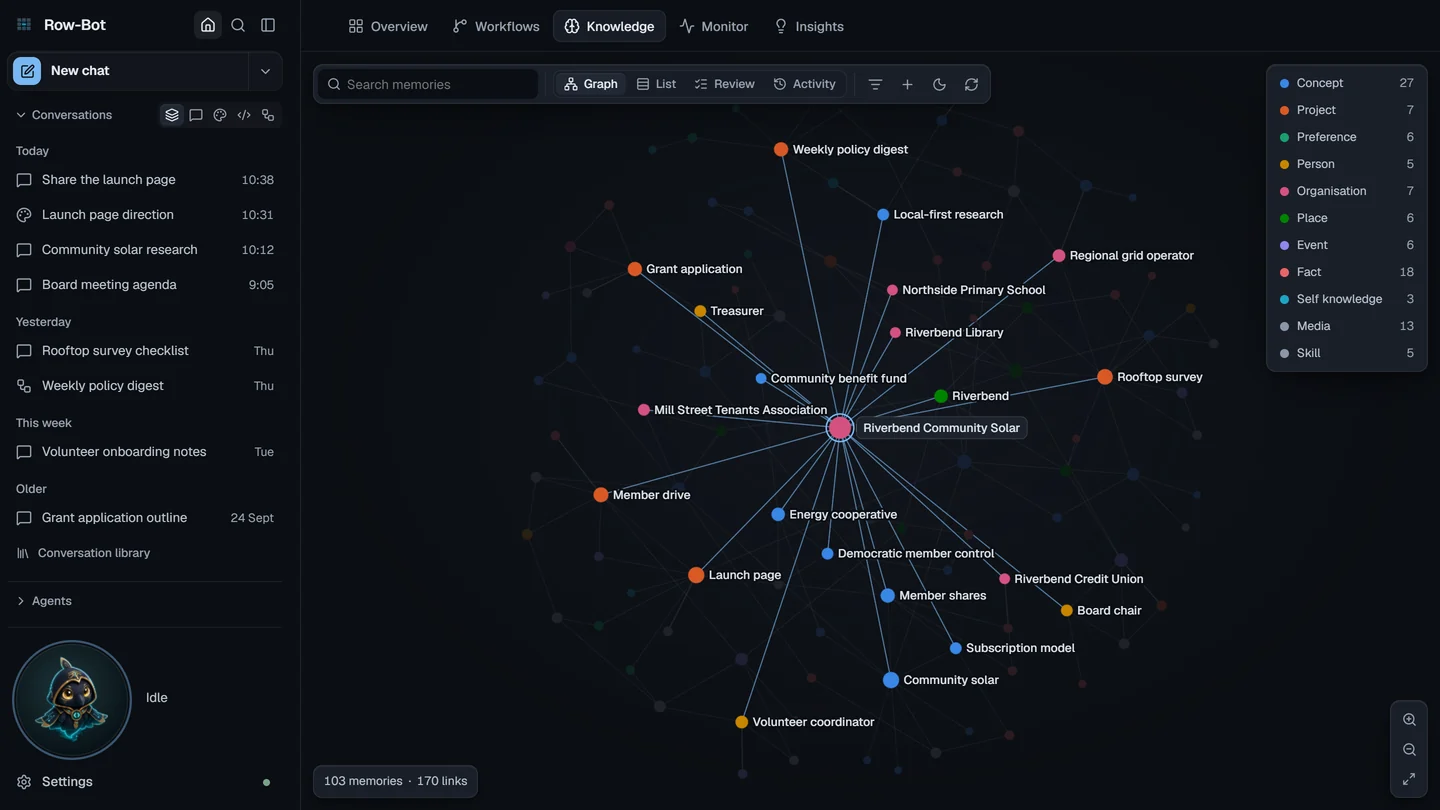
Memories become connected entities and typed relationships, with bounded semantic, lexical, and graph-expanded recall, audit metadata, review states, trace output, document extraction, and Obsidian-compatible wiki export.
Auditable recallDream Cycle refines knowledge during idle hours or on demand: merging duplicates, enriching thin memories, decaying stale confidence, inferring relationships, and turning recent system activity into reviewable insights.
Dream CycleConnect local Git repositories, restore code threads from the sidebar, review diffs, run tests, manage todos, prepare PRs, and work through approval-gated coding tools inside a Codex-style workspace. Optional Docker Sandbox mode keeps command execution and edits in a shadow copy until you import them.
Code workspacesOpenAI, Anthropic, Google AI, xAI, OpenRouter, MiniMax live discovery, OpenCode providers, custom endpoints, Ollama, Ollama Cloud, configurable embeddings, and ChatGPT / Codex all flow through provider-qualified catalogs, capability mapping, readiness routing, context policies, and chat only fallbacks.
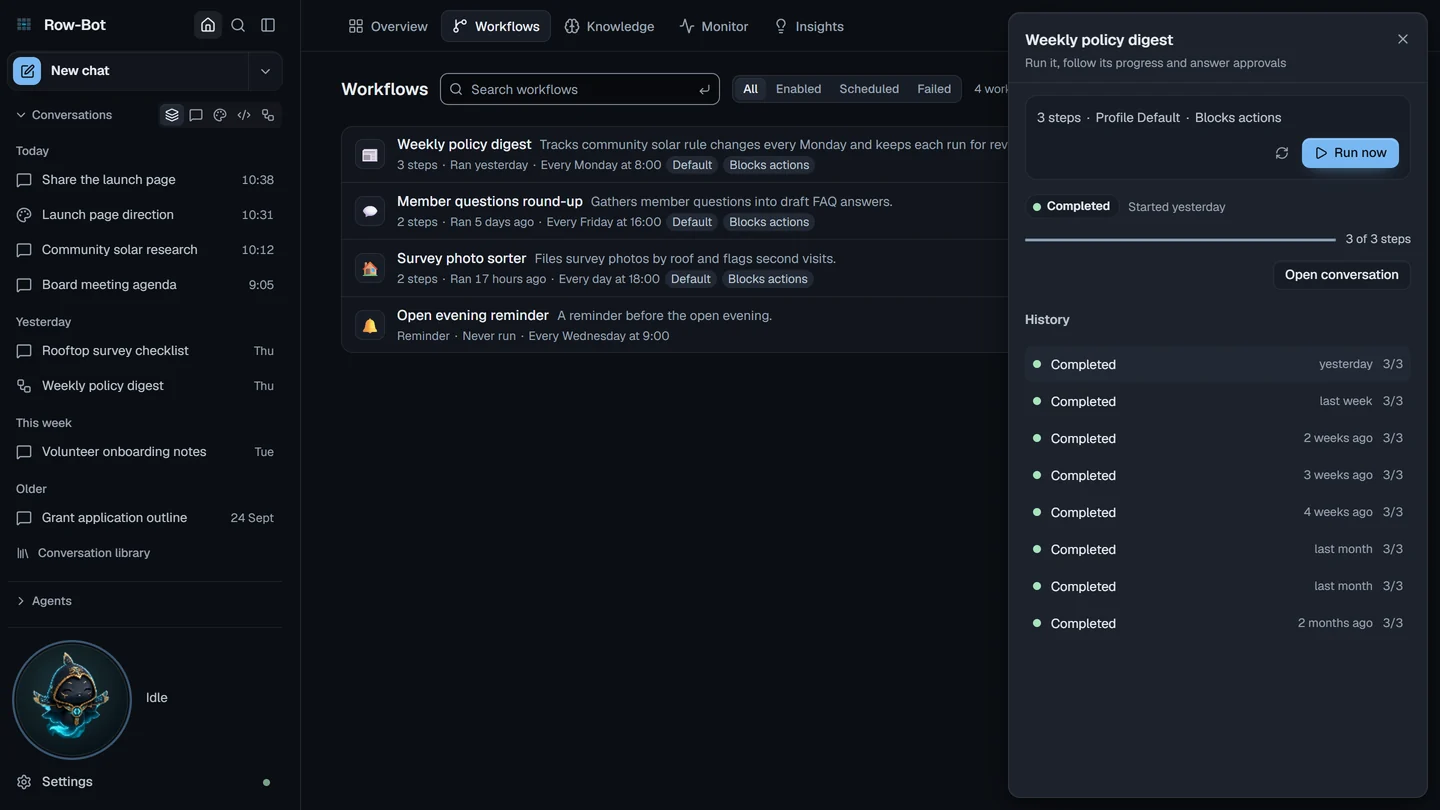
Live catalogsRun scheduled pipelines with conditions, approvals, subtasks, webhooks, model/tool overrides, safety modes, run history, insight cards, workflow-level delivery defaults, task DB recovery diagnostics, and a collapsible console that shows attention states.
Delivery controlsTurn a GitHub repo, local folder, or current workspace into a reusable Row-Bot tool through a guided Source -> Inspect -> Test -> Enable flow, with command safety checks and optional promotion into normal chat.
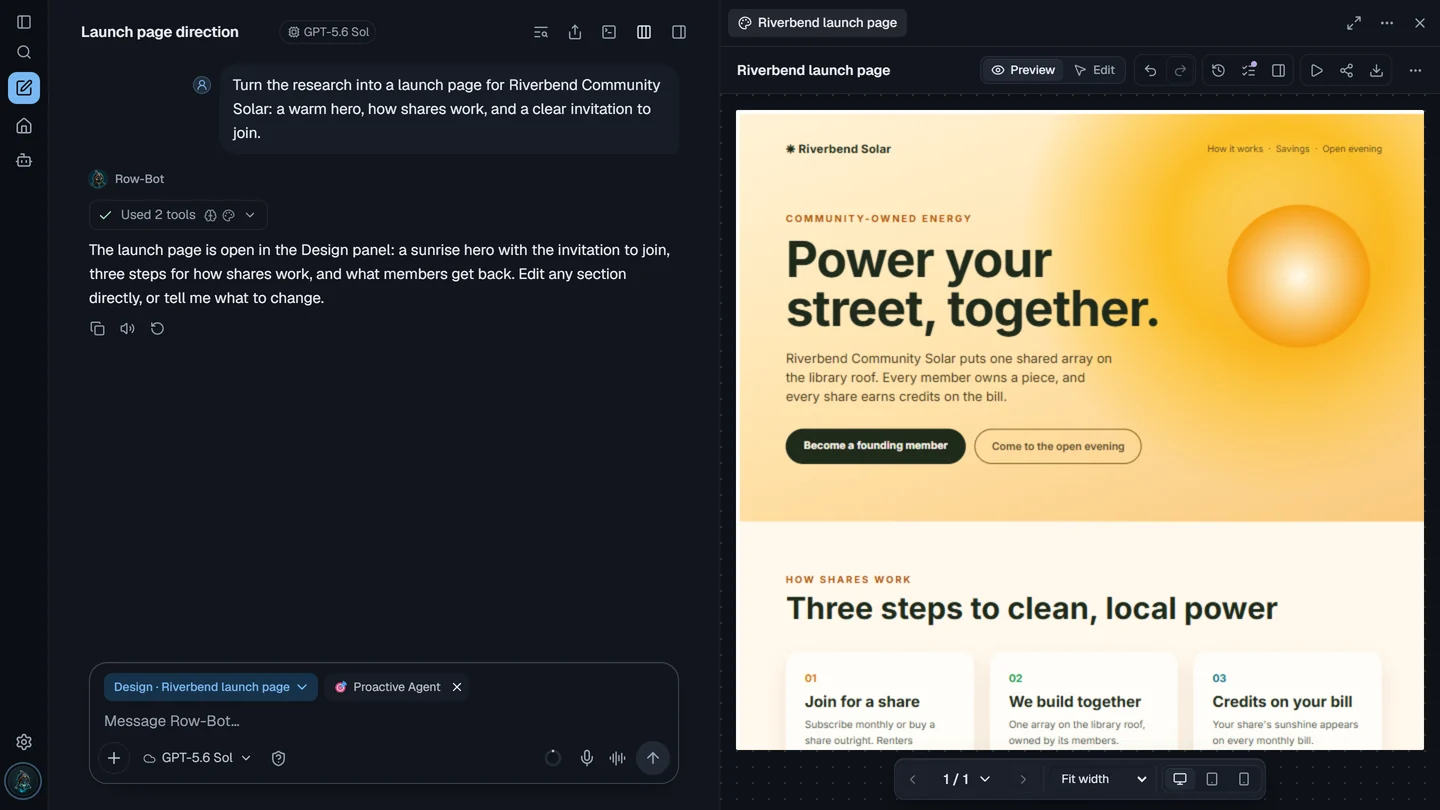
Tool builderCreate decks, documents, landing pages, app mockups, and storyboards with live preview, surgical AI edits, media generation, chart insertion, export, and shareable interactive links.
Five modesThe agent can browse in Chromium, use the shell, manage files, search the web, read documents, send email, manage calendar events, inspect status, and create charts.
30 core toolsInstall Smart Skills from Skills Hub, use slash commands, connect external MCP servers, promote tested Custom Tools, coordinate Claude Code CLI through an approval-gated skill, and migrate selected Hermes/OpenClaw data with backups.
ExtensibleTelegram, WhatsApp, Discord, Slack, and SMS share streaming, media intake, reactions, approvals, health checks, local speech-to-text, realtime voice options, Kokoro TTS, and Buddy state updates.
5 channelsGenerate or edit images through OpenAI, Google, and xAI, then create video clips through Google Veo or xAI Grok Imagine Video from the same provider-aware model catalog.
Provider mediaBuddy adds a local-first animated presence that docks in the sidebar, moves through the workspace, or opens as a native desktop overlay where supported. Home status, workflow attention states, and heavier app panels now stay lighter during long sessions.
More reliableRow-Bot remembers people, projects, preferences, facts, events, and relationships as a graph, then retrieves relevant nodes and one-hop context before each response.
Document extraction, configurable local or cloud embeddings, FTS5 lexical search, recall traces, review queues, provider-aware insight snapshots, wiki export, and the interactive graph view keep that memory useful instead of turning it into a pile of notes.
Ollama, custom OpenAI-compatible runtimes, hosted APIs, Ollama Cloud, OpenCode, MiniMax, and ChatGPT / Codex stay provider-qualified from setup to runtime
Use models exposed by Ollama or OpenAI-compatible runtimes such as LM Studio, vLLM, llama.cpp, LocalAI, LiteLLM, SGLang, and oMLX. Row-Bot discovers catalogs, probes capability metadata, and keeps local or private endpoints distinct from hosted providers.
Add OpenAI, Anthropic, Google AI, xAI, OpenRouter, MiniMax, OpenCode Zen or Go, Ollama Cloud, or ChatGPT / Codex when you need frontier reasoning, hosted media, realtime voice, or no local model download.
Ask a question in natural language and Row-Bot decides which tools to chain together. Search the web, check your email, run a shell command, inspect provider and insight status, build a deck in Designer, and chart the results in a single conversation turn.
Connected channels add send tools automatically, external MCP servers add dynamic tools, and every risky action stays behind Row-Bot's approval gates.
Built-in tools ship with the app; Skills Hub, channels, MCP servers, plugins, and tested Custom Tools extend the tool belt when enabled. File tools read PDFs, spreadsheets, JSON, TSV, images, and more.
Connect repositories, configure provider accounts, probe custom endpoints, pin model Quick Choices, install skills, build presentations and interactive pages, automate recurring work, route approvals to messaging channels, and connect MCP servers without making startup fragile.
Developer Studio keeps repo work under explicit approval modes, Skills Hub imports stay reviewable, Custom Tools stay testable and removable, ChatGPT / Codex sign-in is separate from OpenAI API keys, and migrations remain copy-first with backups and redacted reports.
Cloud AI rents you access. Row-Bot gives you ownership.
| Cloud AI | Row-Bot | |
|---|---|---|
| Your data | Stays on your machine, always. Provider models receive only the current conversation plus model-visible tool context | |
| Conversations | Local SQLite, fully yours, exportable anytime | |
| Cost | Free with local runtimes. Hosted providers use upstream API billing, self-hosted infrastructure, or your ChatGPT subscription | |
| Memory | Knowledge graph with 10 entity types, 67 relation types, visual explorer, FAISS semantic search | |
| Tools | 30+ built-in tools + Skills Hub + channels + plugins + MCP tools + opt-in Custom Tools | |
| Customisation | Swap models per thread, mix local + providers, configure identity, enable skills and guides, build workflows, connect repos, install plugins and skills | |
| Voice | Local Whisper STT + Kokoro TTS, plus opt in realtime voice providers | |
| Messaging | 5 channels: Telegram, WhatsApp, Discord, Slack, and SMS, with streaming and media | |
| Availability | Local runtimes and self-hosted endpoints can work offline; hosted providers remain optional |
Use the one-click Windows installer, macOS DMG, or verified Linux one-line installer. Each release ships self-contained runtime assets for the supported platform.
First-launch onboarding starts with model/provider setup: use local runtimes, Ollama Cloud, API-key providers, custom OpenAI-compatible endpoints, or ChatGPT / Codex sign-in, then continue setup from the resumable Setup Center.
Ask anything in natural language. The agent handles the rest. Search the web, check email, analyze your screen, connect a repo, create a Custom Tool, or schedule a workflow.
Installs the published v4.0.1 XDG user tarball, creates ~/.local/bin/row-bot, and verifies the matching Row-Bot release manifest. Manual tarballs remain available from GitHub Releases.
curl -fsSL https://raw.githubusercontent.com/siddsachar/row-bot/v4.0.1/installer/install-linux.sh | bash -s -- 4.0.1
Row-Bot has no account system, server, or telemetry pipeline. Conversations, memory, Designer projects, documents, code workspace context, and local model runs stay on your machine. Provider models, cloud embeddings, ChatGPT / Codex, and online tools are opt-in, with secrets stored in the OS credential store when available.
Free, open source, and yours to keep. No Row-Bot account. No Row-Bot subscription. No data harvesting.