Row-Bot 4.8.0 available

Local-first AI workbench

Reason.
Orchestrate.
Work.

Row-Bot brings agents, models, tools, memory, documents, workflows, code, design, messaging, and voice into one powerful AI workspace. Research, create, automate, and ship real work with local or hosted models, while your conversations, projects, and knowledge stay on your machine or private server.

Free · open source · no Row-Bot account

One connected AI workspace

Everything you need to do the work.

Chat, research, build knowledge, automate workflows, write code, create designs, use tools, and stay connected across channels—all from one local-first application with approvals, activity, and durable context in view.

ROW-BOT · ONE CONNECTED WORKSPACE LOCAL-FIRST · YOURS TO CONTROL
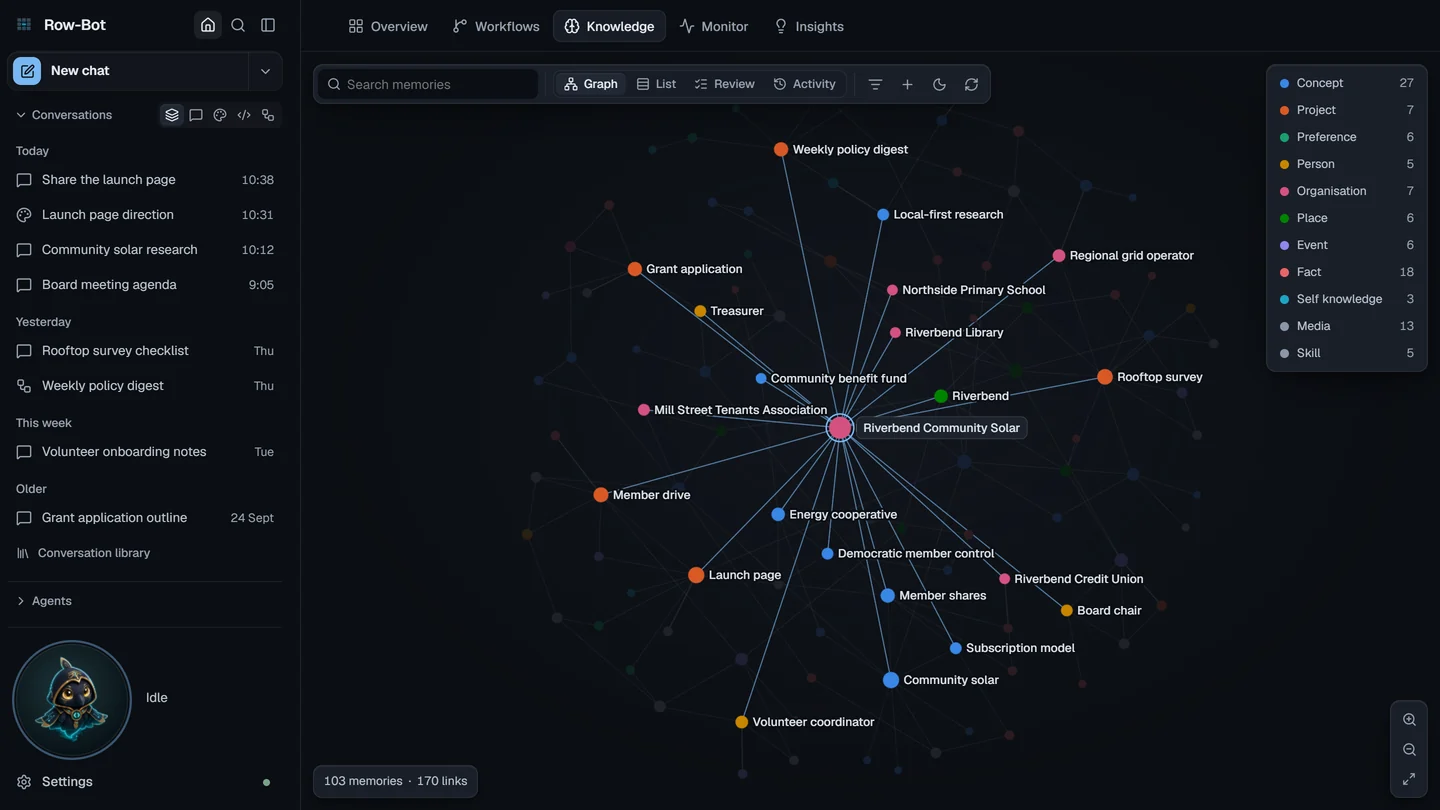
Row-Bot desktop workspace with conversations and Agent Profiles, the Knowledge graph, Workflows, Designer, Developer, Monitor, tools, approvals, channels, Activity Center, and terminal
01Choose how you work

Use local or hosted models with agents, profiles, tools, skills, and voice.

02Move across the workbench

Chat, Workflows, Designer, Developer, Knowledge, and Monitor share one context.

03Stay in control

Review approvals and activity while conversations, documents, runs, and knowledge stay durable.

The workbench

Four surfaces. One system.

Reasoning, coordination, action, and production stay connected through durable threads and explicit controls.

01 / THINK

Models and memory

Choose local models or explicit hosted and private endpoints. Add documents through a bounded, resumable queue, then build auditable knowledge with sharded search, graph memory, and graceful lexical and graph recall. A visible context meter and rolling compaction keep long conversations manageable while preserving recent complete turns.

Explore models and knowledge →
02 / COORDINATE

Profiles, goals, and agents

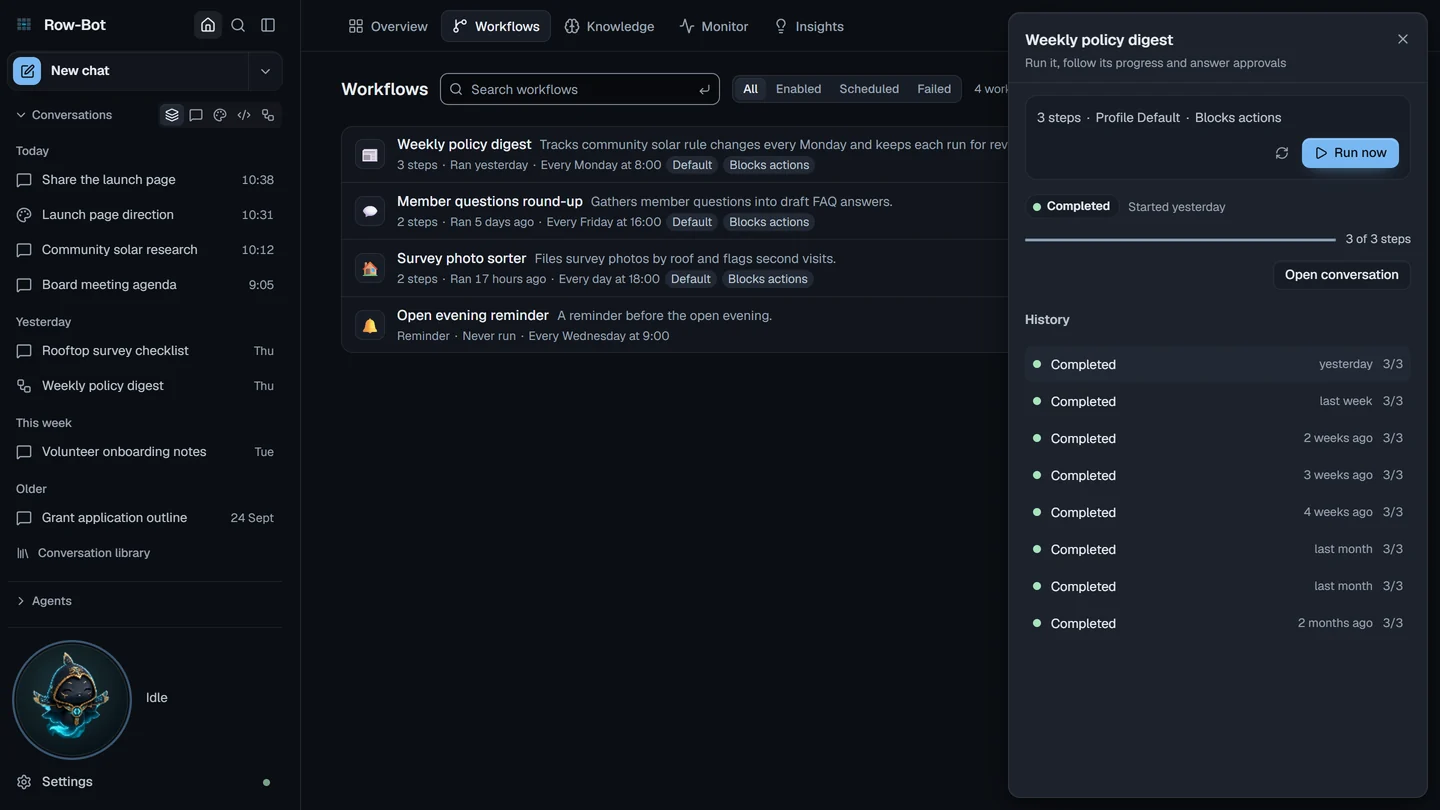
Give the parent agent a durable role and objective. It can coordinate dependencies and multiple work waves, join required results, keep background work durable, and recover from checkpoints without duplicating the final answer.

Explore orchestration →
03 / ACT

Tools and channels

Use the browser, shell, files, MCP servers, and messaging channels behind reviewable approvals. Built-in tools stay ready while enabled external capabilities can be discovered only when needed, under the same profile and approval rules. Opt-in Computer Use can control reviewed Windows and macOS applications while keeping browser automation separate.

Explore tools and boundaries →
04 / BUILD

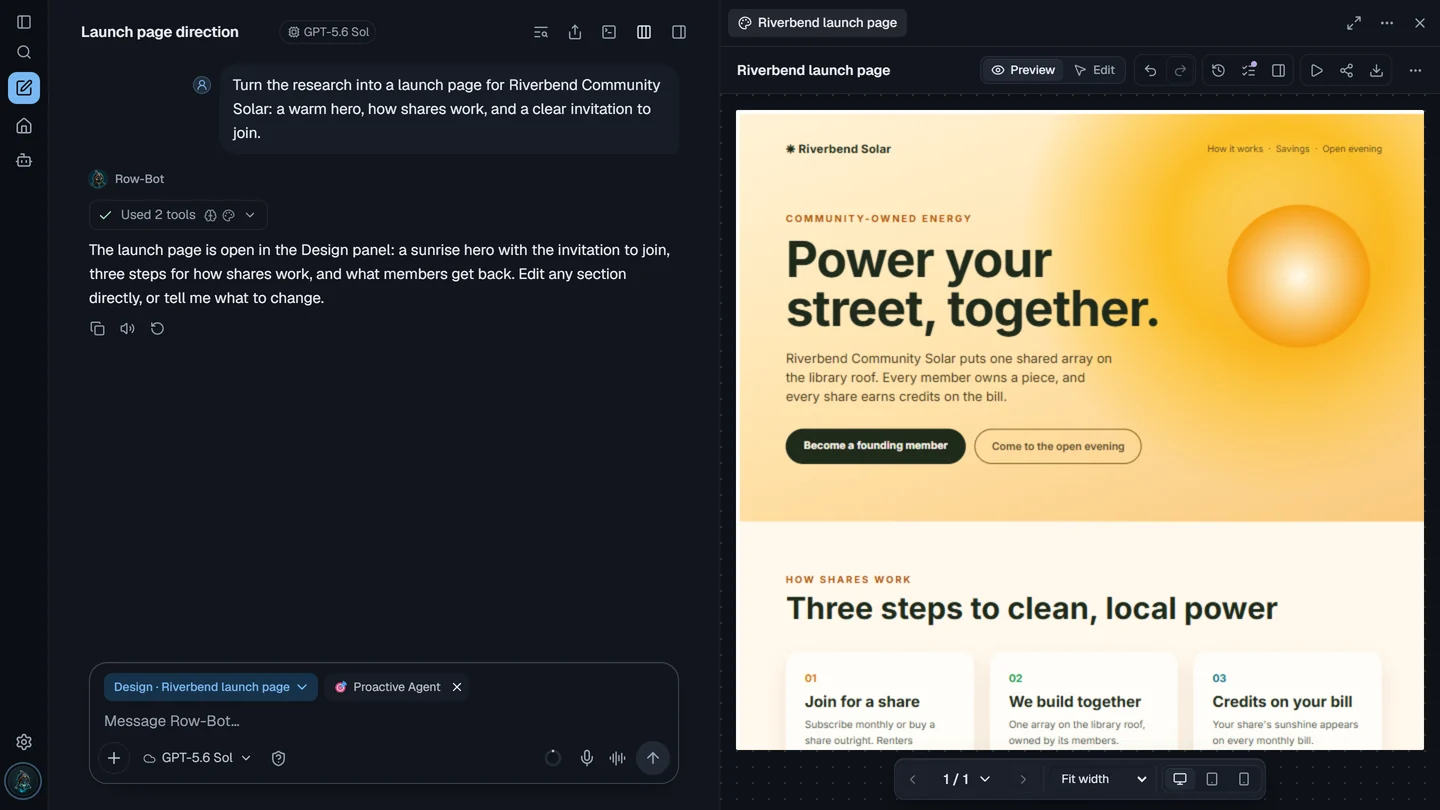
Code and design

Developer Studio keeps repository work, diffs, tests, and approvals visible. Designer Studio creates decks, documents, pages, mockups, and storyboards as durable, editable output.

Explore both studios →

Real product demonstrations

Watch the work happen.

These walkthroughs show complete tasks in the real product: creating launch assets, turning research into a report, and running a controlled background workflow.

Local-first architecture

Your machine is the system of record.

Conversations, profiles, goals, documents, project context, workflow history, and authenticated access records live with the Row-Bot host. Hosted providers and networked tools receive only the context required for requests you explicitly choose.

Explore the architecture
No Row-Bot account or first-party telemetry pipeline
Authenticated desktop and remote browsers share one owner authority
Provider-qualified model routes remain explicit
Approval gates protect consequential actions
Server credentials persist as encrypted records with isolated keys
Compare Row-Bot with typical cloud-only AI chat
CapabilityTypical cloud-only chatRow-Bot
Durable system of recordProvider-hosted account and conversation stateLocal conversations, goals, profiles, knowledge, workflows, and project records
Model choiceModels selected by the serviceLocal runtimes, hosted APIs, subscriptions, routers, and private compatible endpoints
Tools and actionsService-defined integrations and sandboxesBuilt-in tools, MCP, channels, Computer Use, and explicit approval boundaries
Background workUsually tied to the provider sessionParent-led agent waves, dependencies, durable workflows, schedules, run history, budgets, and delivery policy
Offline operationRequires the hosted serviceLocal models and local tools can continue without a hosted provider
Control and portabilitySubject to service limits, retention, and product changesApache 2.0 application with local data, revocable owner sessions, and explicit external routes

Hosted providers still receive the context required for requests you send to them. Capabilities vary by service; this compares the operating model rather than every provider feature.

Before you install

Practical answers.

A local application, explicit providers, durable local records, and reviewable actions.

Is Row-Bot free?

Yes. Row-Bot is Apache 2.0 licensed and does not require a Row-Bot subscription. Local models can be free to run on your hardware; hosted providers and external services may have their own charges.

Can it run entirely locally?

Yes, when you select a local runtime and local tools. Hosted models, cloud embeddings, web tools, online channels, and remote access require network connections and remain opt-in.

Which platforms and model providers are supported?

Row-Bot supports Windows 10/11, macOS, Linux, authenticated remote browsers, and official Docker/VPS server deployments. Model paths include Ollama, major hosted APIs, subscription providers, routing services, and private OpenAI-compatible endpoints; see the maintained provider inventory for details.

What reaches a hosted provider?

The selected provider receives the current model-visible conversation and tool context needed for that request. Durable conversations, knowledge, profiles, goals, and project records stay on your machine unless you deliberately send specific data through a provider or networked tool.

Can I use Row-Bot from another device?

Yes. An authenticated browser can open the full desktop layout or the compact phone layout from a route you choose. Every invited browser has the same owner authority, sessions are revocable, and the Row-Bot host must remain running and reachable. It is not a standalone iOS or Android download.

Download and install

Your AI workspace. On your machine.

Install Row-Bot, choose a local or hosted model path, and continue through the resumable Setup Center. For headless operation, the official Docker image and row-bot serve keep the same local-first data and authenticated-owner model.

WINWindowsWindows 10/11 · x64 installer.exe ↓ MACmacOSApple silicon · DMG.dmg ↓
Linux · verified XDG user install
curl -fsSL https://raw.githubusercontent.com/siddsachar/row-bot/main/installer/install-linux.sh | bash -s -- 4.8.0

Continue on desktop

Your AI workspace. On your machine.

Row-Bot runs on Windows, macOS, and Linux. Open row-bot.ai on your computer to install it.

Read installation guide

Direct desktop downloads