Settings: Search
Search controls what information Row-Bot can retrieve beyond the current conversation. Some search is local, such as document and memory retrieval; other search can contact external services or automate a browser.
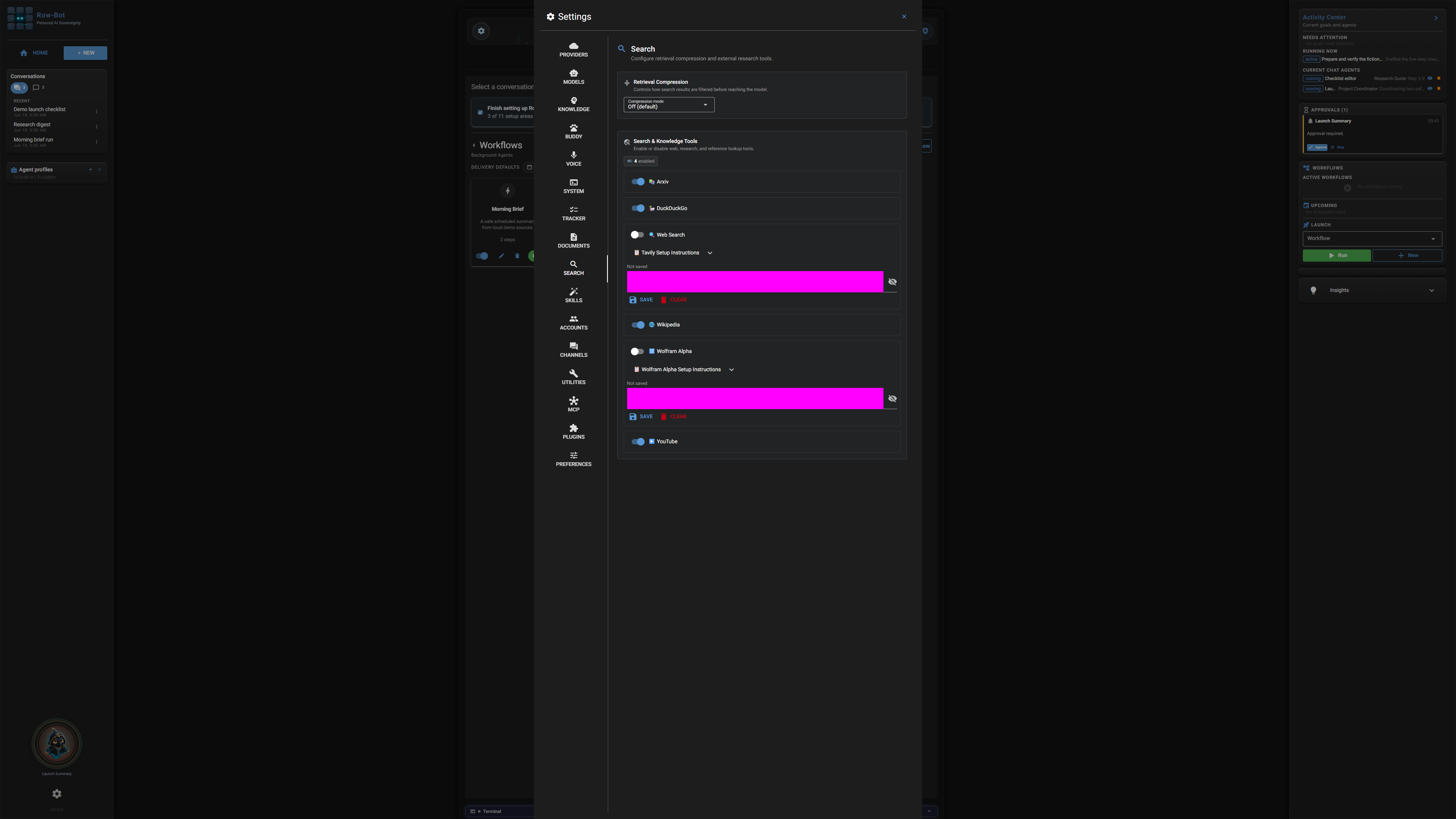
Where To Find It
Open Settings, then choose Search from the left tab list.
Controls
- Web search provider choices decide whether Row-Bot can search the internet and which backend it uses.
- Browser automation controls decide whether Row-Bot can open pages, inspect them, and interact with them when asked.
- Knowledge and document search toggles decide whether local memory and document records can be considered during a response.
- Result limits and ranking controls keep search focused when a query could return too much context.
- Provider health indicators show whether the selected search path is available.
Common Workflow
- Leave web search off if you want local-only work.
- Enable document and memory search when you want Row-Bot to use your local knowledge.
- Enable browser automation only when you want Row-Bot to read or operate pages for you.
- Review approval prompts before actions that submit forms, change state, or use account data.
What Is Saved
Search settings are global defaults. Individual prompts still matter: Row-Bot should only use external research when the request calls for it and the tools are enabled.
Privacy And Safety
Review credential, account, channel, provider, or tool settings before enabling features that can contact outside services. Local-only features stay on your machine until you ask Row-Bot to use a provider, account, channel, MCP server, plugin, or tool that sends data elsewhere.
Control-Level Reference
The generated Settings Controls reference lists the visible controls found in the current application source, including defaults, allowed values when they are declared inline, dependencies, restart notes, security notes, and source locations.
Troubleshooting
- If Row-Bot cannot browse, check browser automation readiness and approvals.
- If web results are stale or absent, check the selected search provider.
- If local retrieval feels noisy, reduce result limits or disable memory search for the task.