Knowledge
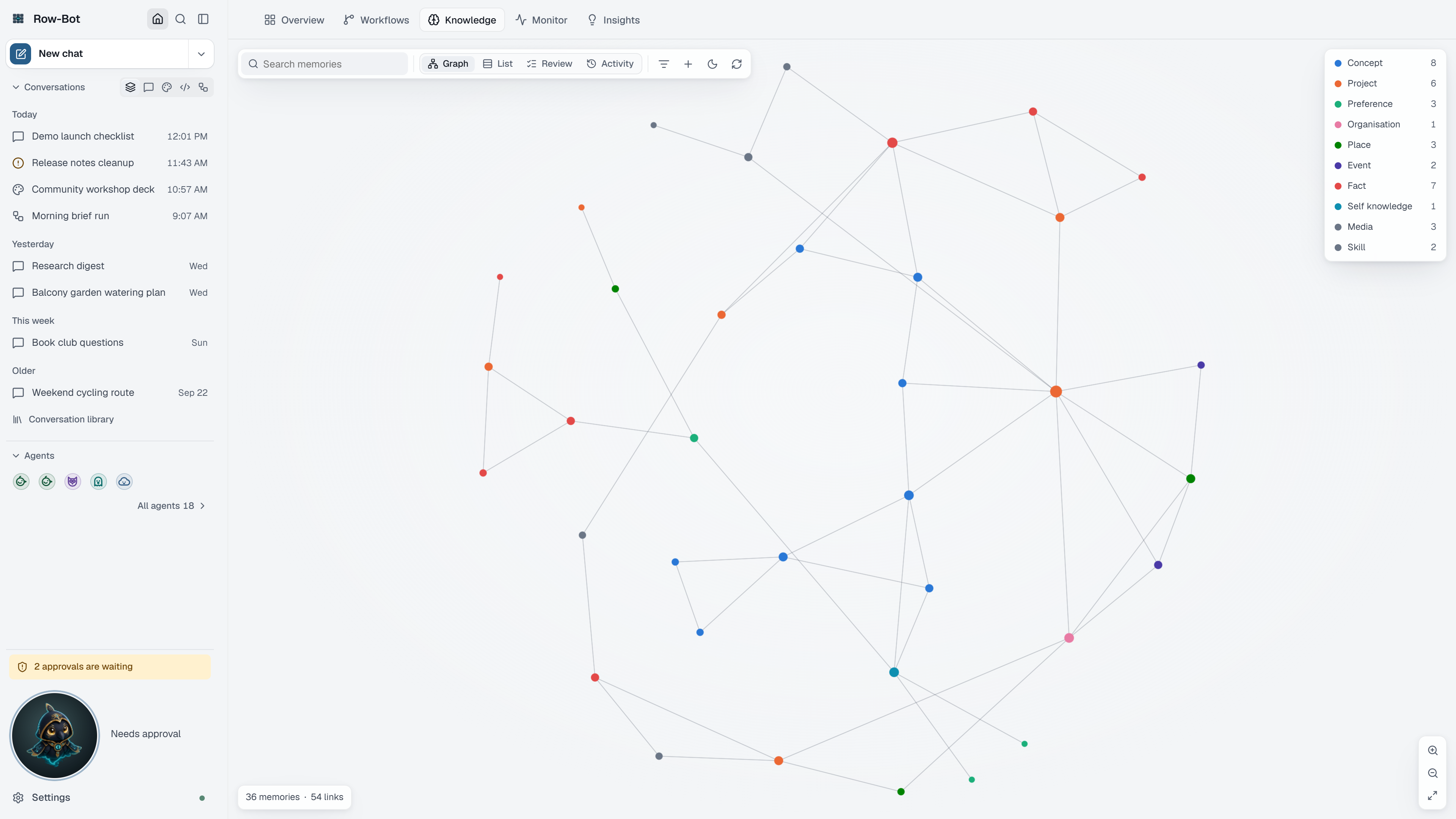
Knowledge is Row-Bot's local memory: the facts, people, projects, preferences and relationships it has saved from conversations, documents and your own edits, connected as a graph. Row-Bot recalls relevant memories when they help a conversation.
For the relationship between thread history, memory, documents, the graph, Wiki Vault, and Dream Cycle, read How Memory Becomes Knowledge.
Where To Find It
- Home › Knowledge is where you see and manage memories.
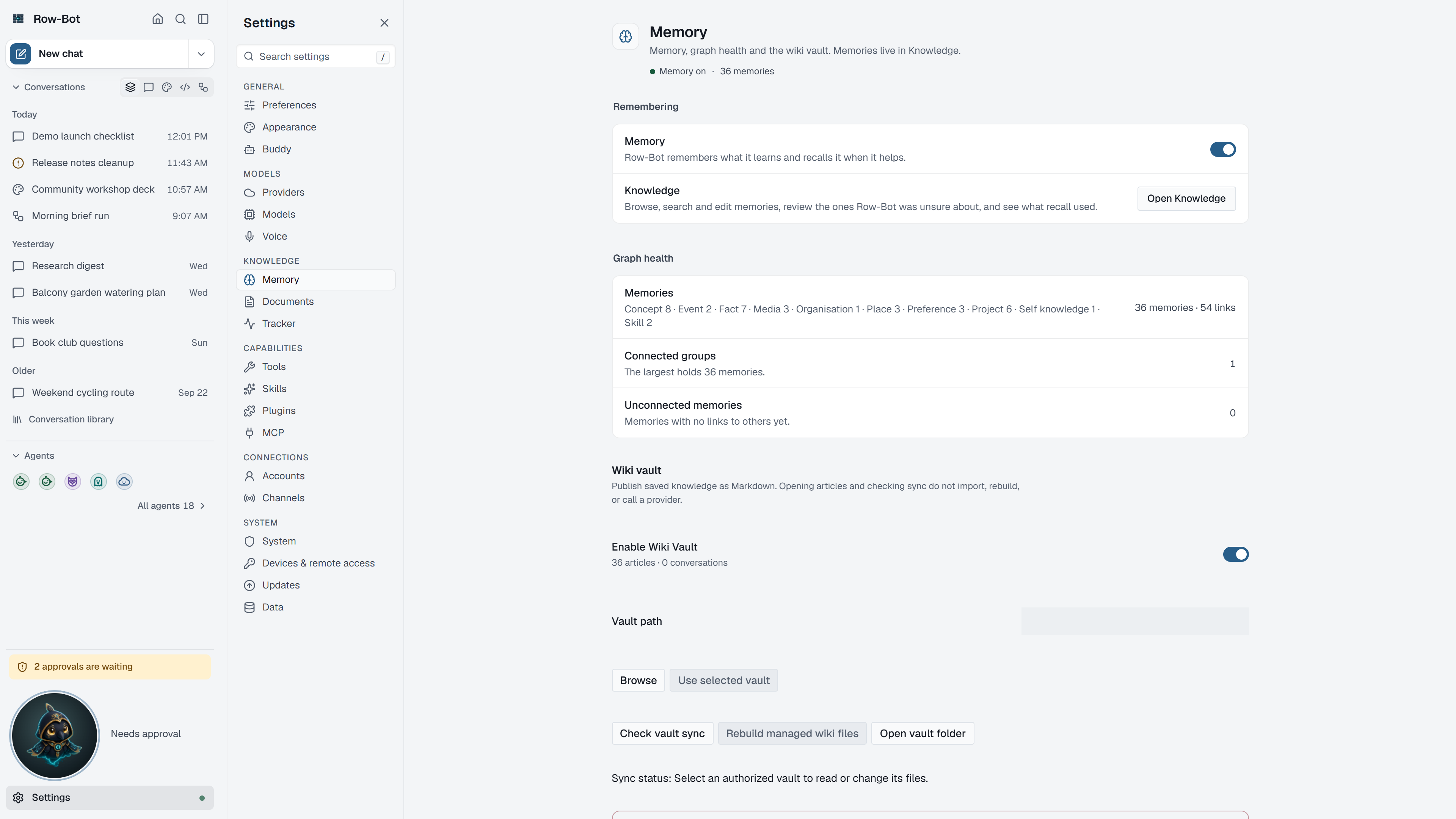
- Settings › Memory turns memory on or off, shows graph health, configures the Wiki Vault, and holds Delete all knowledge.
- Settings › Documents configures document search and its embedding model.
Views
Choose a view at the top of the Knowledge tab:
- Graph draws memories and their connections and lets the layout settle into place. It opens with up to 2,000 memories; Show all memories draws up to 5,000. Use Zoom in, Zoom out and Fit, and hide or show memory types from the legend.
- List shows the whole library, newest first, with search across every memory.
- Review is the queue of memories Row-Bot was unsure about. Mark as reviewed, Edit memory or Archive memory settles each one.
- Activity shows recent recalls (memory used or skipped in a conversation) and recent changes.
Filters narrow the graph and list by source, status and memory type, show or hide you as the central memory, and can hide unconnected memories.
A Memory's Details
Select a memory to see its description, memory type, status, source, confidence and when it was updated, its connections, where it came from, and its history (created, edited by you, refined by Row-Bot, last recalled). From there:
- Edit memory corrects it.
- Merge or replace folds a duplicate into another memory and moves its connections.
- Archive memory keeps it but stops it being recalled; Restore memory brings it back.
- Delete memory removes it, its connections and its search entries after you confirm.
Select several memories to delete them together, up to 100 at a time. Use Add memory to save something yourself.
Dream Cycle
Dream Cycle tidies memory overnight: it merges duplicates, enriches thin memories and infers missing links. Turn it on and choose its hours in Settings › Preferences › Overnight tidy-up. Run Dream Cycle on the Knowledge tab reviews what it would do and runs it now after you confirm. Its history is in Monitor.
Common Workflow
- Open Home › Knowledge after a few useful chats or document imports.
- Search for the topic you care about, or open Review.
- Open a memory and check its source.
- Correct, merge, archive or delete misleading memories.
- Rely on recall once the important memories are right.
What Is Saved
Memories are local Row-Bot data. They are sent to a model provider only as relevant context in a conversation that uses that provider.
Troubleshooting
- If Knowledge is empty, turn on memory in Settings › Memory or add documents in Settings › Documents.
- If a memory is wrong, edit, merge or archive it rather than deleting whole topics.
- If recall feels noisy, review the Review queue and archive stale memories.
Continue with Wiki Vault and Provenance And Repair for the file-output and recovery workflows.