Home: Insights
Insights is where Row-Bot reports what it noticed while working: a skill that keeps failing, two skills that overlap, a setting worth changing, a memory that looks wrong, or a problem worth sending as feedback. Nothing changes until you choose; every proposal is a draft for your review.
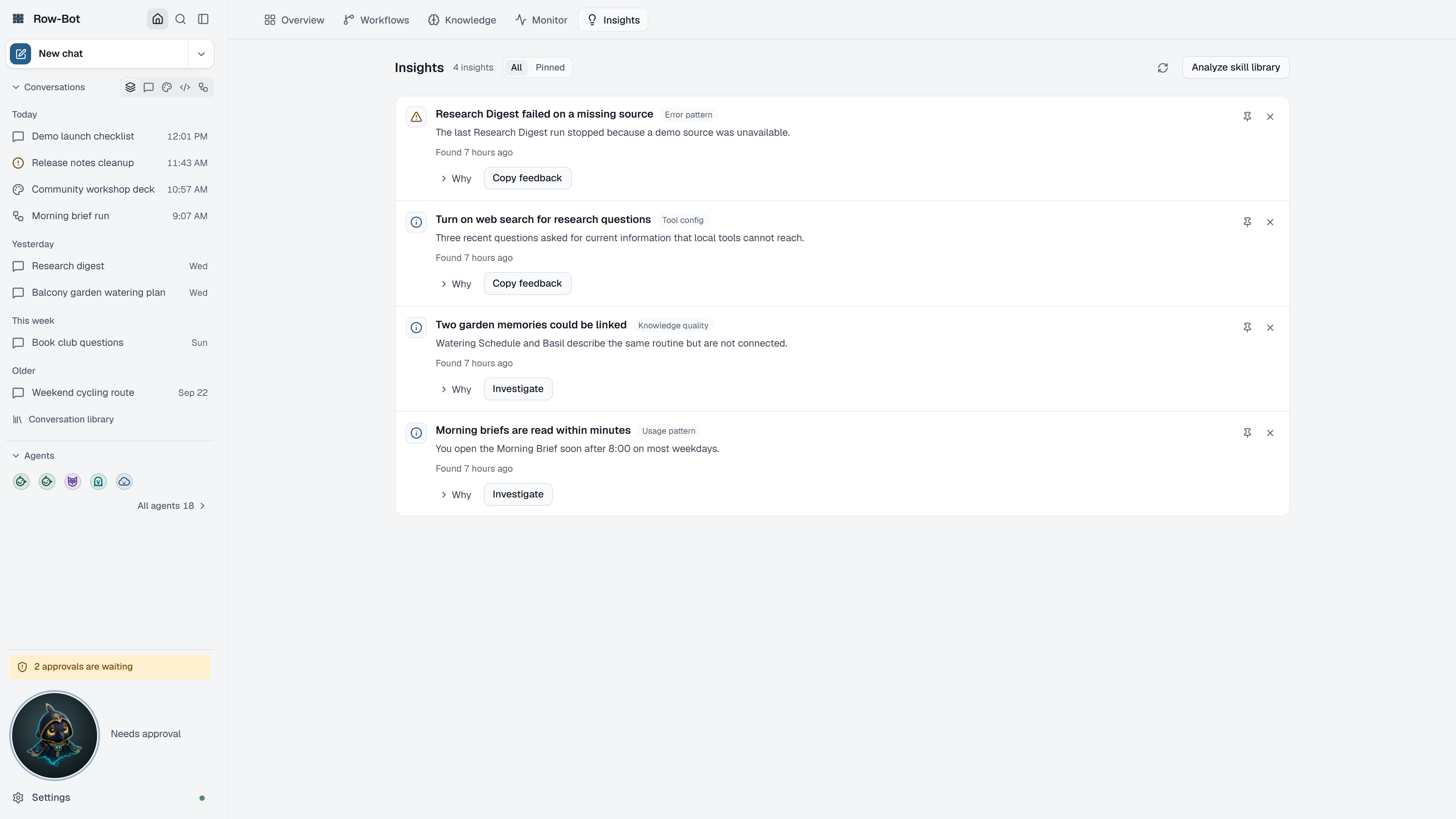
Where To Find It
Choose Home, then the Insights tab, or Open Insights from Overview's Learned this week card. Every device you've connected sees the same insights.
Reading An Insight
Each insight shows its severity (Critical, Error, Warning, Info or Suggestion), what Row-Bot found, when it found it, and a suggested next step. Row-Bot says when an insight may be out of date: it was found while another chat model was in use, or it has not been seen again for two weeks.
Use All or Pinned to filter the feed, Refresh to read it again, Pin to keep an insight in view, and Dismiss to hide it (with Undo).
Proposals
- Suggest a fix asks Row-Bot to prepare proposals for an insight that has none yet.
- Apply proposal makes the change, such as creating or updating a skill. Afterwards the insight says exactly what happened.
- Reject proposal declines it.
- Some proposals are review only: merging skills, changing a setting, or correcting a memory. Row-Bot can't make that change itself, so make it yourself if you agree, then reject the proposal.
- Open investigation draft opens a prepared conversation for a deeper look.
- Copy feedback copies a feedback report you can send yourself; Row-Bot never sends it.
Skill Library Report
Analyze skill library reviews your installed skills and prepares proposals, such as two skills with similar instructions. It prepares proposals for your review; nothing is applied.
What Is Saved
Insights and their proposals are local Row-Bot data. Applying a proposal changes only what that proposal names.
Troubleshooting
- If the feed is empty, Row-Bot has nothing to report yet; new insights appear after it analyses recent work.
- If an action's outcome is not confirmed, use Check outcome before trying again.